Free online 3D circuit simulator
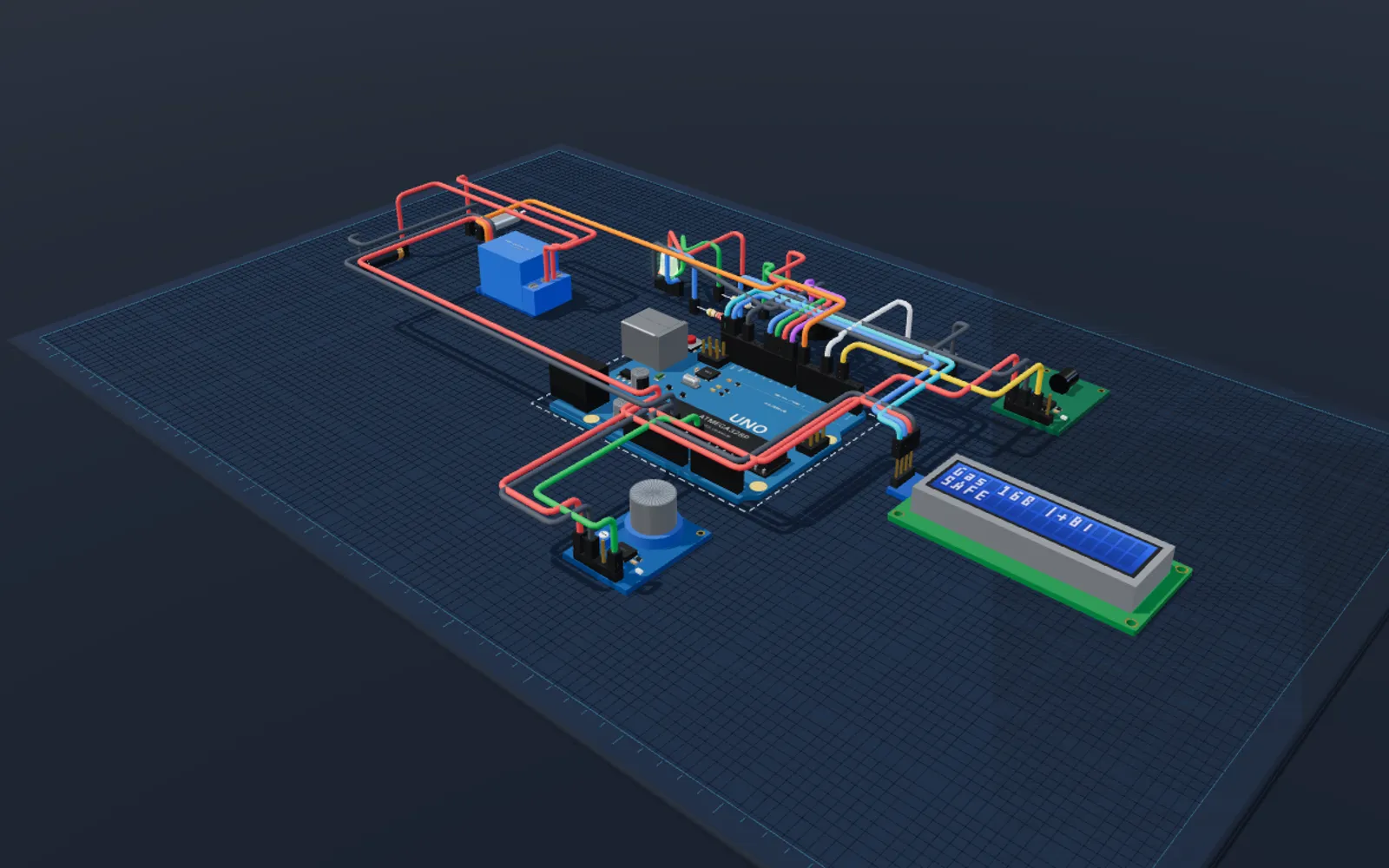
Build a circuit in 2D, then flip one switch to see the same circuit on a 3D workbench. Boards are built from their real dimensions, and the 3D scene follows your running code: LEDs light with their PWM brightness, the servo horn turns, buttons press and LCD and OLED screens show what the sketch prints.
What you can do
Same circuit, two views
There is no separate 3D model to build. The 3D bench reads the circuit you wired, so every saved project opens in 3D.
Live while it runs
LED brightness, servo angle, button presses, the potentiometer knob and LCD and OLED screens update from the running firmware.
Edit in 3D
Select, drag, rotate, delete and undo parts on the bench, then switch back to 2D for wiring.
Share a real view
Orbit, zoom and switch between perspective, top, front and side views to show a build the way it will sit on your desk.
Board models and firmware status
- Arduino Uno
- Arduino Nano
- Arduino Mega 2560
- ESP32 DevKit
- Raspberry Pi Pico
Frequently asked questions
- Can I simulate an Arduino circuit in 3D?
- Yes. Choose 3D in the 2D | 3D switch and the same circuit appears on a 3D bench, updating live while your code runs. The 3D view is in beta.
- Do I need a fast computer for the 3D view?
- The 3D view uses WebGL and loads only when you open it. If WebGL is not available, the 2D editor keeps working.
- Is the 3D circuit simulator free?
- Yes. Building and viewing circuits is free. Running code needs a free SolderHub sign-in.