Free online Raspberry Pi Pico simulator
Write an Arduino-style sketch for the Raspberry Pi Pico, compile it with the Arduino-Pico core and run the real RP2040 firmware in your browser. GPIO, PWM, ADC, I2C, SPI and serial all come from the running code, on the Pico and five more RP2040 boards.
What you can do
Six RP2040 boards
Raspberry Pi Pico, Pico W, Seeed XIAO RP2040, Waveshare RP2040-Zero, Adafruit Feather RP2040 and Arduino Nano RP2040 Connect, each with its real pin map.
Sensors on any GPIO
DHT11, DHT22, DS18B20 and HC-SR04 work on any GP pin. I2C and SPI parts such as OLEDs, LCDs, the MPU-6050 and RC522 use the board's default bus pins.
Upload your own .uf2
Already built firmware? Load a .uf2 file and run it on the emulated RP2040.
Tested, not guessed
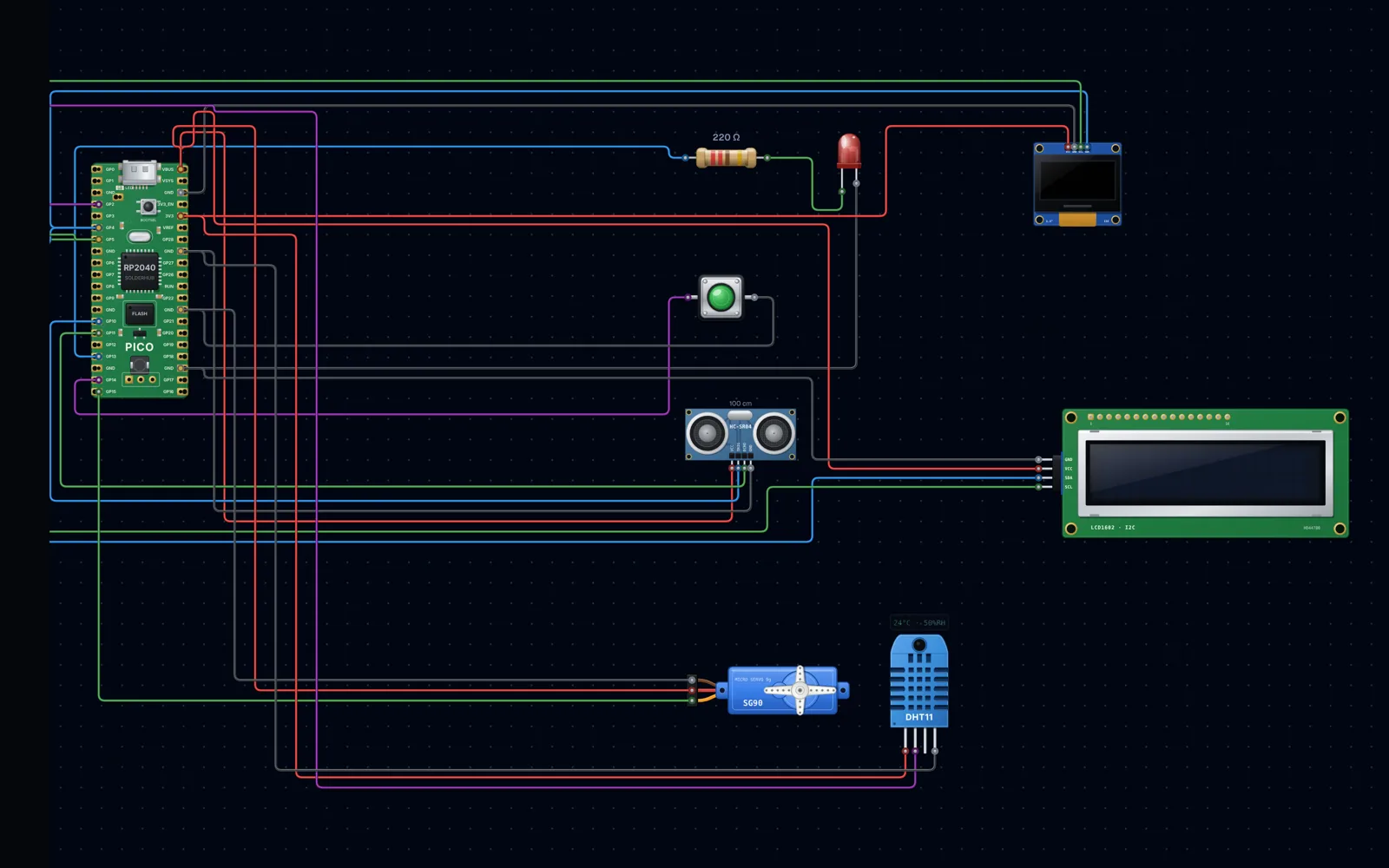
Every RP2040 board passes the same 7-part test: LED and button, HC-SR04, 1.3-inch OLED, LCD1602, SG90 servo and DHT11 in one sketch.
Board models and firmware status
- Raspberry Pi Pico
- Pico W
- Seeed XIAO RP2040
- Waveshare RP2040-Zero
- Adafruit Feather RP2040
- Arduino Nano RP2040 Connect
Frequently asked questions
- Can I simulate a Raspberry Pi Pico online?
- Yes. Place a Pico, wire parts to its GP pins, write a sketch and press Compile & Run. The sketch is compiled with the Arduino-Pico core and the RP2040 firmware runs in your browser.
- Does it support the Pico W and other RP2040 boards?
- Yes. Pico W, Seeed XIAO RP2040, Waveshare RP2040-Zero, Adafruit Feather RP2040 and Arduino Nano RP2040 Connect all run real code.
- Is the Raspberry Pi Pico simulator free?
- You can open the workbench and build circuits for free. Compiling and running needs a free SolderHub sign-in and has a daily compile allowance.